SIR form status check kese kare|How to check SIR form status| 6 easy steps to check SIR form status| SIR form status check online|SIR form status by epic number
You get all above question’s answer in 6 easy steps mention below.
To know if the SIR FORM has been filled online by BLO or not, a simple and step-wise process has been given, through which you can ensure that the form given by you has been successfully submitted.
6 Easy Step-wise online process
- Open Google Chrome in your mobile or computer and search voters.eci.gov.in.
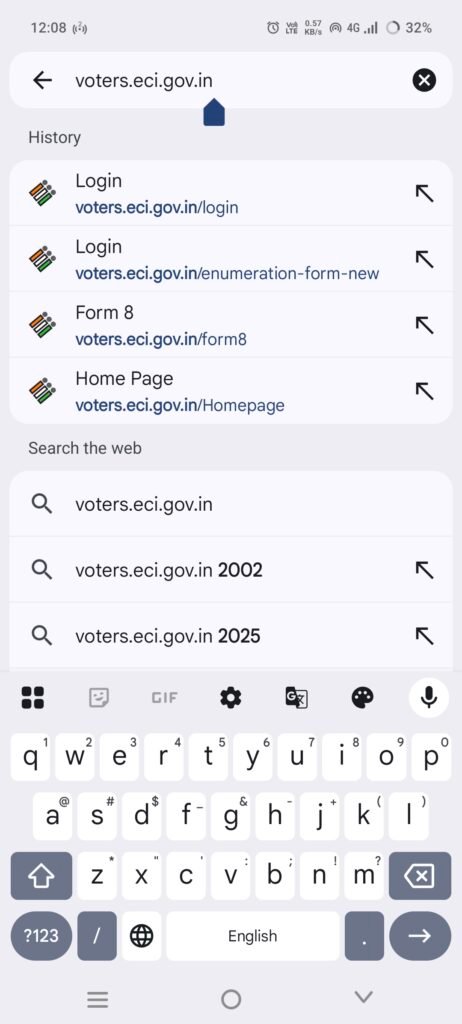
2. The option will appear as https://voters.eci.gov.in – Election Commission of India” – OPEN it.
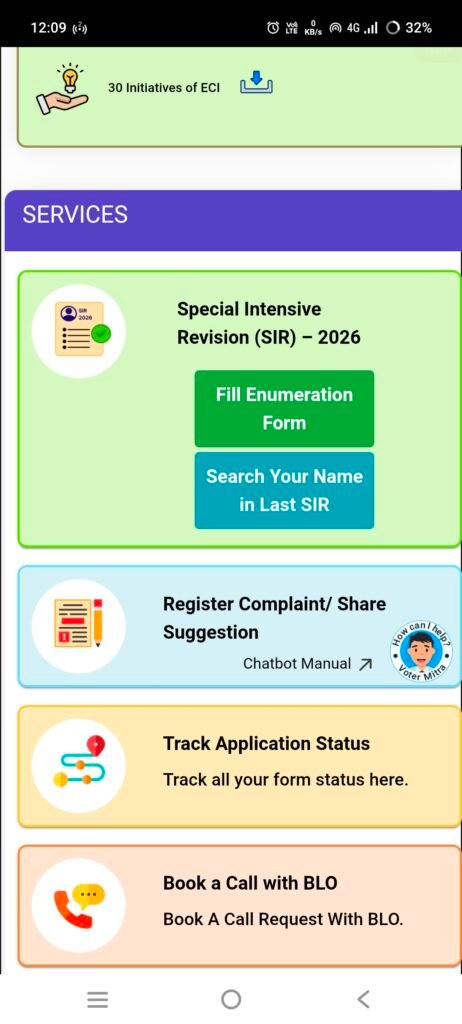
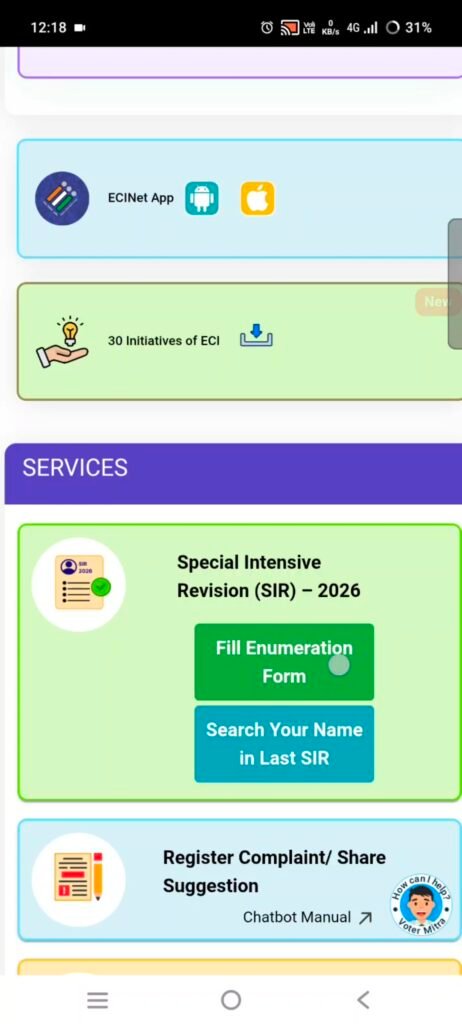
Now the official website of Election Commission of India will open. Scroll down and you will see the SERVICES section.
3. Here you will see two options: Click on → “Fill Enumeration Form” in Green Color.
Now the Voter’s Service Portal page will open.
4. Sign-up here:
Enter Mobile Number
Enter First Name (Your Name)
Enter Last Name (Your Surname)
OTP will come, fill it and verify.
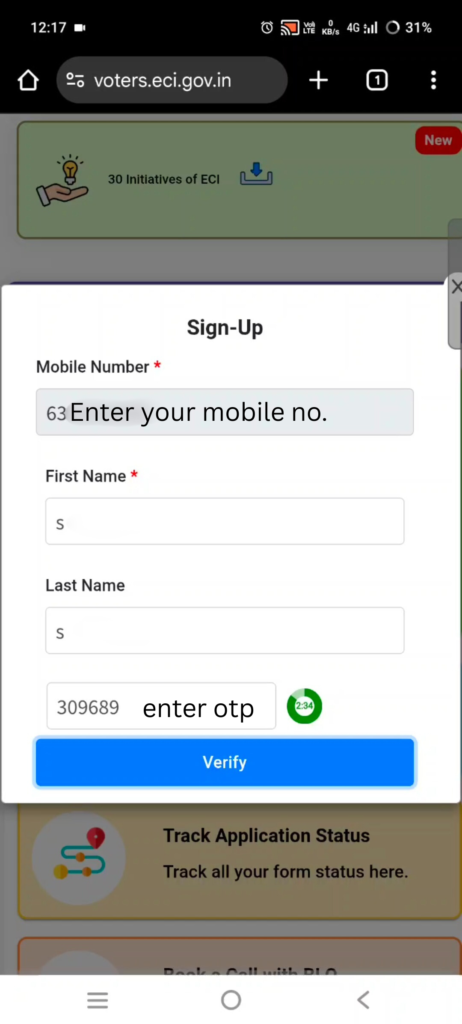
“User created successfully” message will be shown.
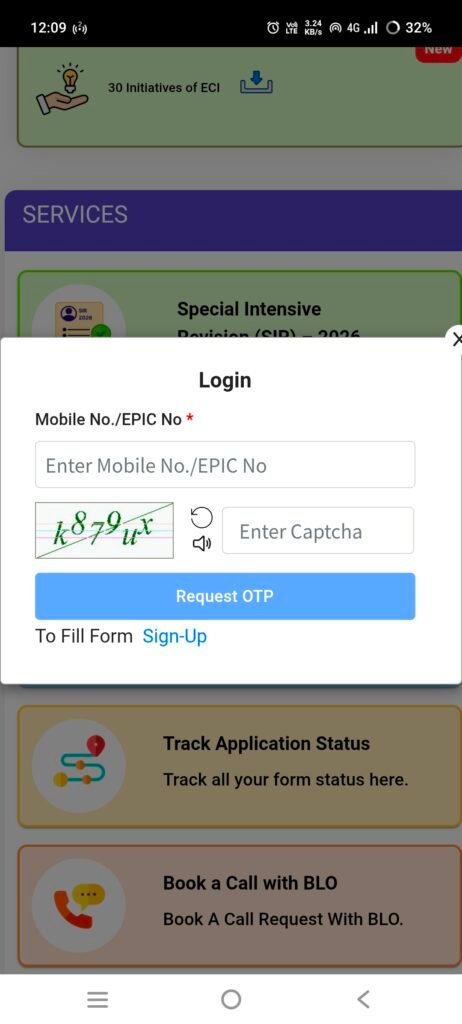
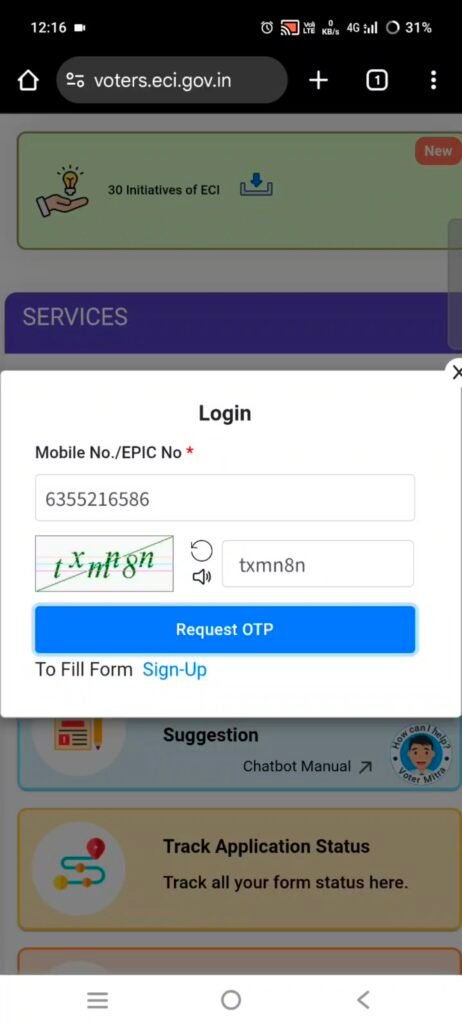
5. After that click Fill Enumeration Form again
Enter your mobile number, enter CAPTCHA → OTP will come → You will be logged in as soon as you enter OTP.
6. Here, enter State and Voter ID Number to search.
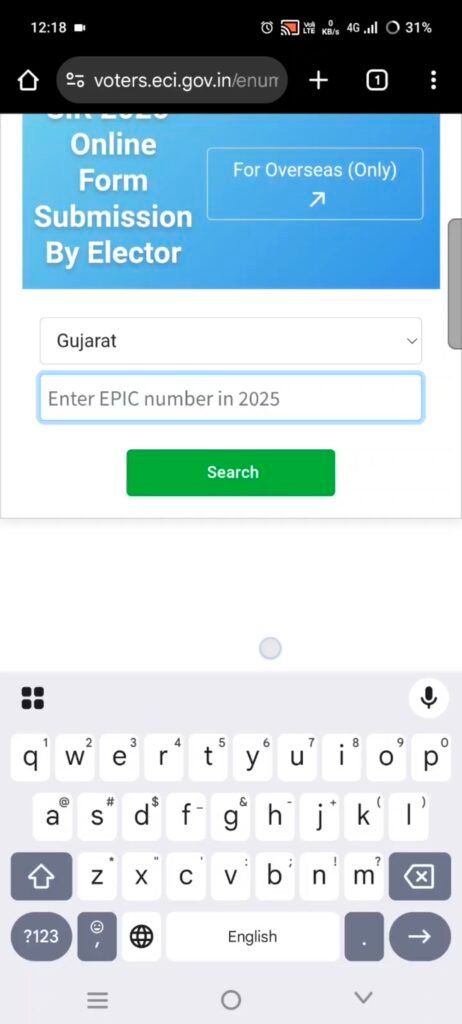
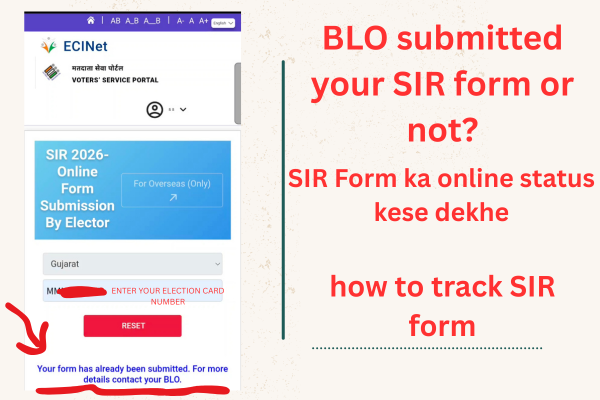
If the form has been submitted successfully, you will see the following message:
“Your Form has already been submitted. For more details contact your BLO.”